
No Consent form
In case when there is No consent form provided to us or there is wrong consent form we send the form to candidate by email.
- Step- setting the language
-In the Uploads is most of the time uploaded also the CV. There we can see which languages candidate speaks. Either we check his language levels and pick the one which is the highest, or if there is none we simply use the language in which is the CV written.
!!!The language in the Batch is for the customer, not candidate. Only if we have no CV, we can use the language stated there!!!
After we have the language picked, we put it in the first page in the candidates file called "Identity verification" and press save.
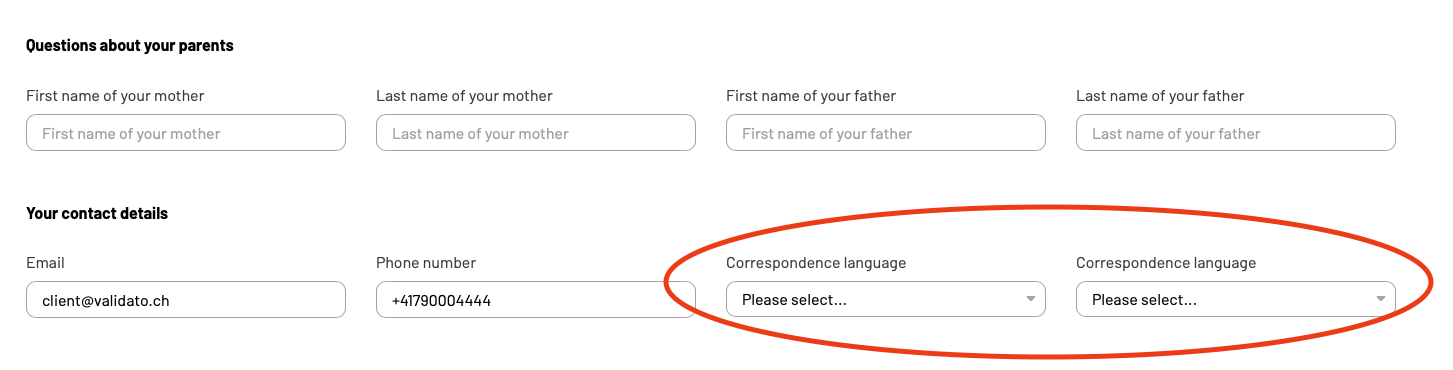
The language which will be saved there is the candidate's contact language for everyone.
2. Step - Choosing the right form
Form we choose by the 1. Aspects to be validated and 2. Language
Aspects in the form must contain the requested information in the Batch (Click on the batch above the name of candidate).
(For better understanding: we can not verify something what we are not allowed - for what we have no consent)
- See following and compare:
BATCH: (required by customer) DECLARATION OF CONSENT:
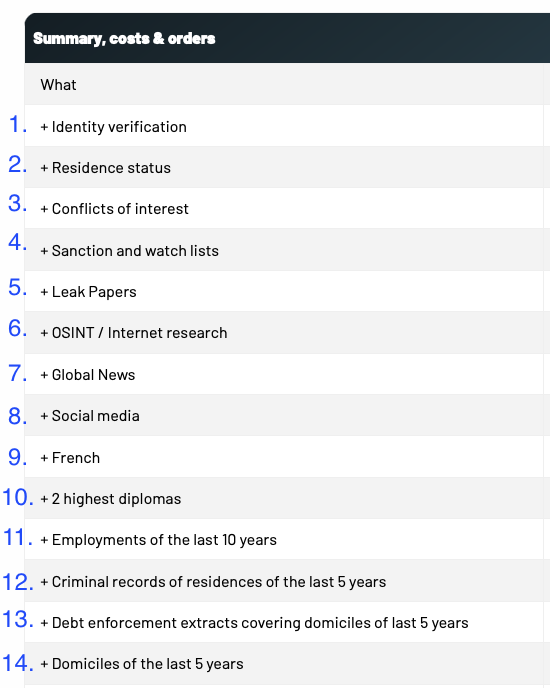
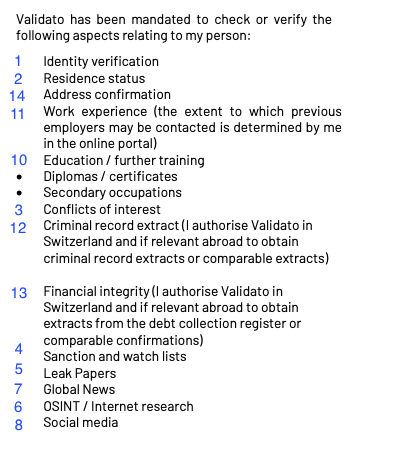
As you can see:
All the information required by customer are in the Declaration of consent.
(Point 9. is language in which the final report will be. It is NOT part of declaration of consent.)
There can be more points in declaration of consent than in the batch because we don't have form for every customized package BUT NEVER the other way.
If we found the form matching to our required information we start writing the Email.
3. Step - Writing the email
After clicking on the candidate's name and scrolling down we see the email of the candidate to which we are going to write.
In our prepared text file we search the text with correct language and copy it into email. (Example in english)
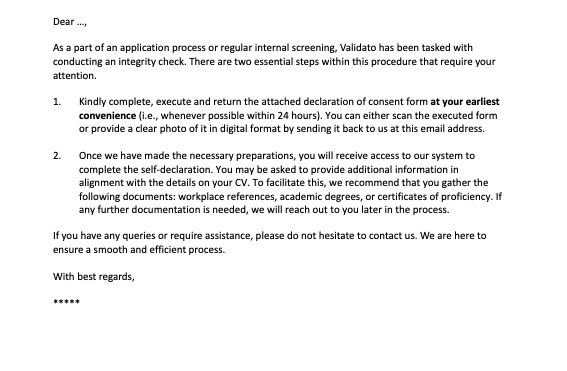
There we change only the name of the person to be contacted with appropriate addressing. For example Dear Mr. Smith/ Dear Ms. Smith. And attach the empty Declaration of the consent into attachment.
Recipient will be the candidate.
In the CC we put validations@validato.com
Subject: "Customer Company name" Declaration of Consent (of course in the correct language)
And send :)
For the consent we wait max 24h.
If we have received it we proceed here: https://knowledge.validato.com/books/preparation/page/preparing-self-declaration
If we did not received we continue:
4. Reminder Email- No consent after 24 hours
We will forward the email what we sent to the candidate and write there also following: (From templates)
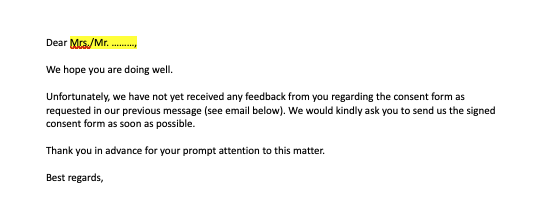
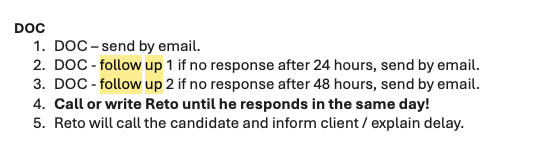
The follow ups for the DOC are following:
No Comments