Important
| Name: | Document obtained | Owner: | Head Screening | Executive: | Screening Specialist |
|
Important notes:
|
| Do's: Working always with ID card or Passport |
| Dont's: The permit card, driving licence and other types of documents are not considered sufficient for this check |
| Files: |
| Links: https://www.identt.com |
|
Systemborders:
|
- For IDENTT verification is always used only ID card or Passport.
- To find the document open candidate's file by clicking on his name and after on the window called "Identity verification" and on the first site we see the documents attached.
- If there is no document check also the window called "Show all documents" in the candidate's file
- If there is still no document request it from candidate by email.
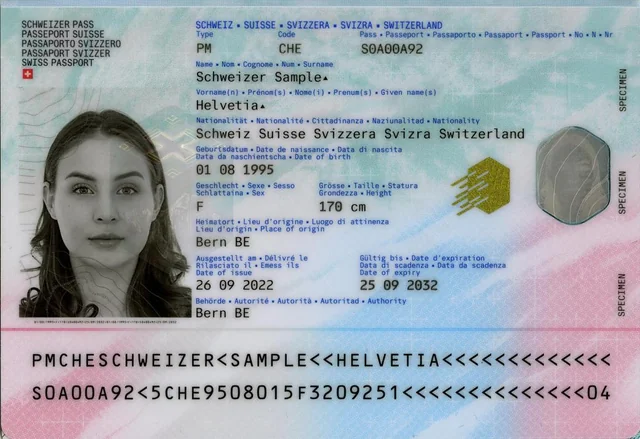
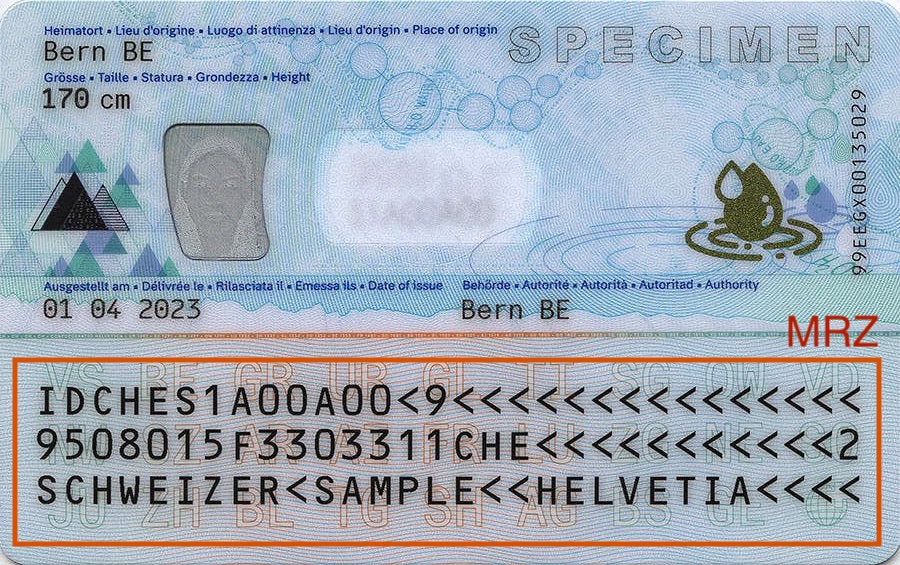
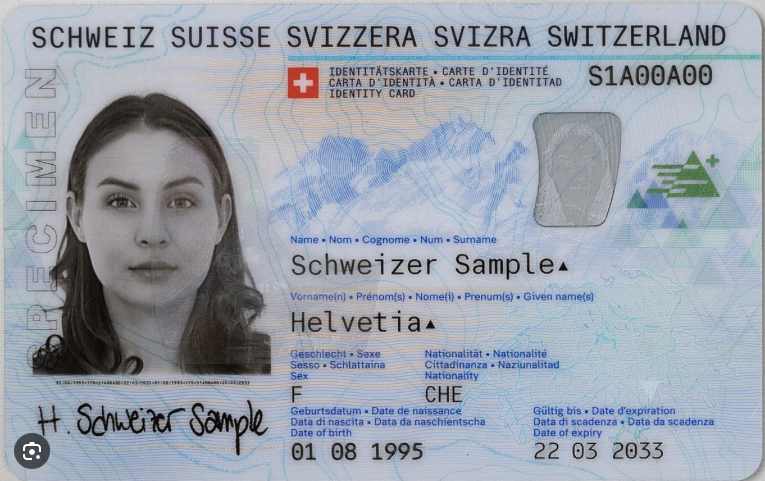
- In case the document is obtained, check if the document is fully visible and the MRZ number is not cropped out (see example:
IDENTITY CARD: ✅ |
Information and MRZ are often on two sides, therefore we need to have them both
PASSPORT:✅ |
See that on the passport is MRZ and information together, therefore we need only one side for verification