Verification
| Name: |
Verification |
Owner: |
Head Screening |
Executive: |
Screening Specialist |
|
Important notes:
- The ID/Pass provided always need to have the MRZ visible
- The website does not verify pdf files
|
| Do's: Working always with ID card or Passport |
| Dont's: The permit card, driving licence and other types of documents are not considered sufficient for this check |
|
Systemborders:
Proceed here: Results
|
- Open the site https://www.identt.com
- Log in with the OnePasssword App
- Click on the button "Knowledge Login"
- Click on the red button "Auto-verify"
- Click on the FIle and Next
- Make screenshot of the ID or Passport (Make sure all the information are visible) and upload the screenshot into the drop area and verify
If there is a problem with document result looks like this:
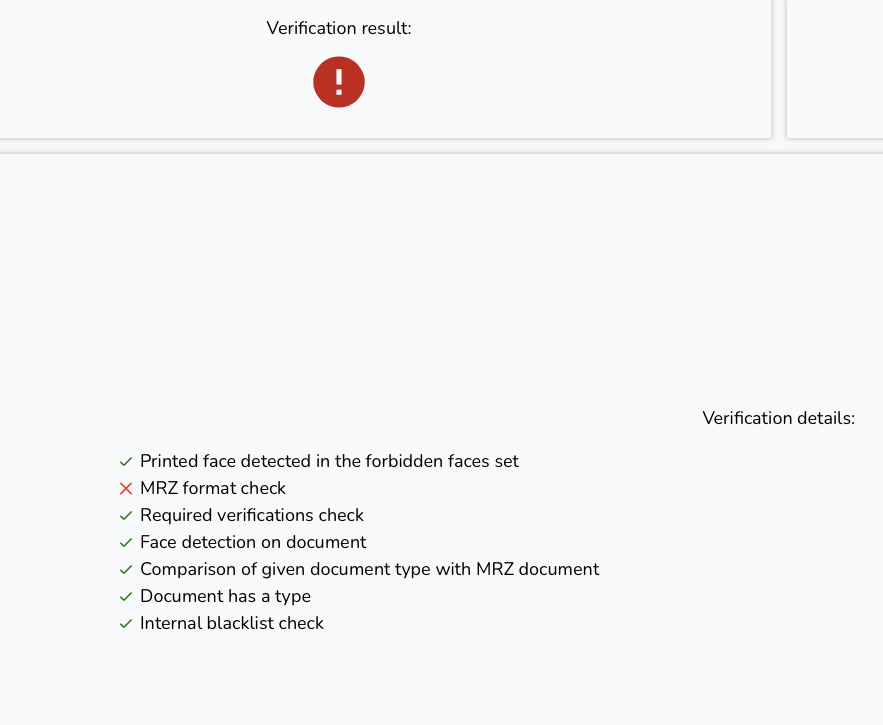
In this case the MRZ was not fully visible. Try it again but if the result remains wrong ask candidate for better photo (many times happens that the last line or part of MRZ is not captured therefore we need a new one)
If everything is correct result looks like this:
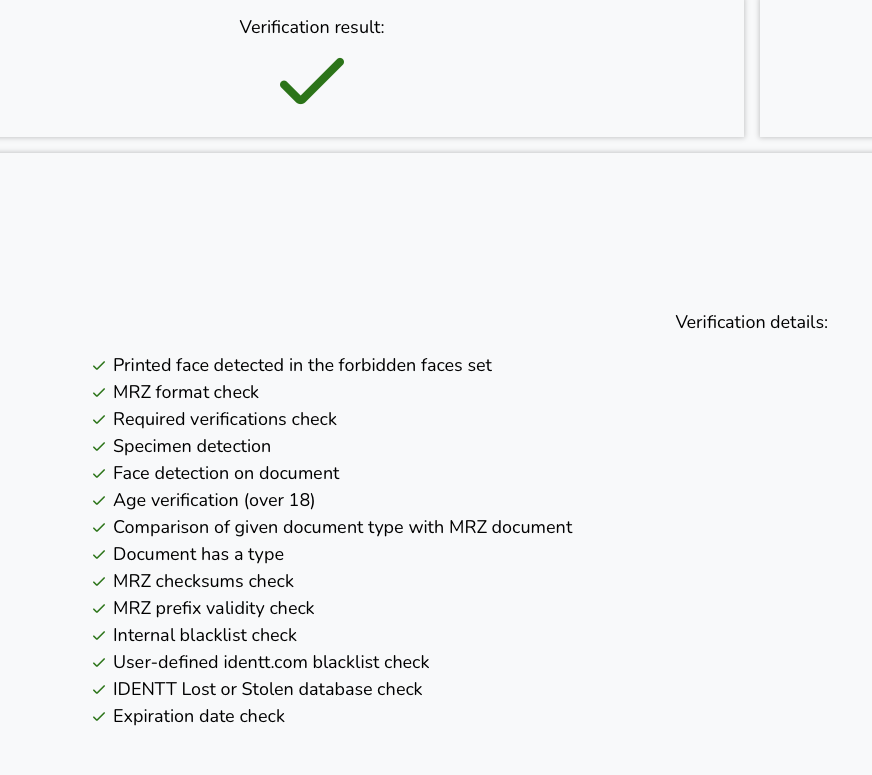
- Click on the DOWNLOAD RECORD IN PDF FILE button and return to the candidate's file.
- Proceed here: Results

No Comments